


Introduction to WAN 2.6
Alibaba’s WAN series has quickly become one of the leading families of AI video models, known for cinematic visuals, strong motion control, and multimodal generation. With WAN 2.6, the model takes a major step forward: it introduces 15‑second multi‑scene video, native audio, and smarter narrative control, aiming directly at professional‑grade short‑form video and commercial content.
WAN 2.6 is available in Alibaba Cloud Model Studio as both text‑to‑video (wan2.6‑t2v) and image‑to‑video (wan2.6‑i2v), supporting 720p and 1080p renders with automatic voiceover and custom audio import.
On Akool, WAN 2.6 is now fully integrated as a featured AI video generator, giving creators a simple interface to generate 15‑second multi‑scene AI video with integrated music, consistent subjects, and cinematic motion from prompts, images, and audio.
Key Features & Major Upgrades of WAN 2.6
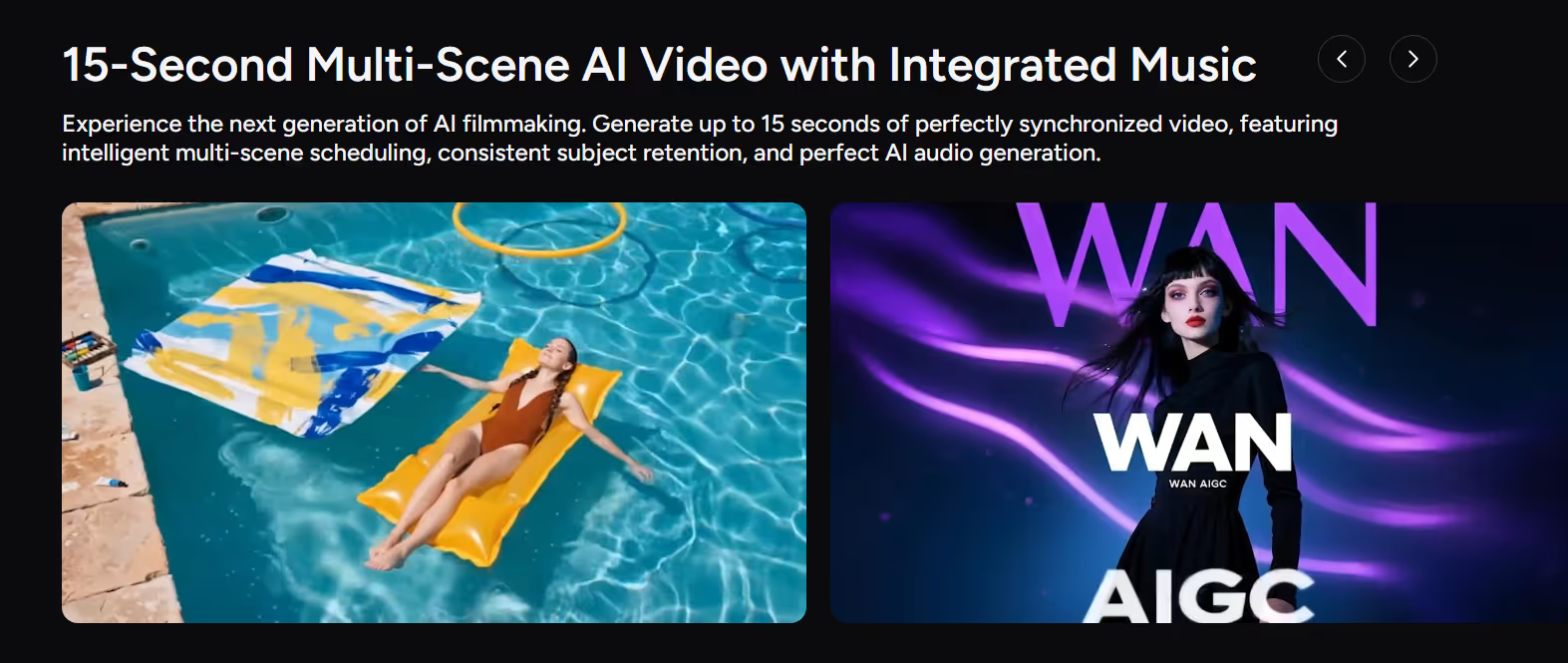
1. 15‑Second Multi‑Scene Cinematic Video
The most visible upgrade in WAN 2.6 AI video is its support for up to 15 seconds of high‑quality video in a single generation.
Key benefits:
- Multi‑scene narrative control – Automatically plans and switches between shots, enabling simple story arcs within one clip.
- Consistent subjects across scenes – Maintains characters or objects as the same identity through scene changes, ideal for storytelling and product videos.
- Cinematic quality at 720p / 1080p – Designed for professional use in short‑form content, ads, and trailers.
For creators, this means WAN 2.6 is no longer just a “cool short clip” engine — it can deliver mini story beats in one pass.
2. Native Audio, Automatic Voiceover & AI Music
WAN 2.6 is a fully audio‑visual AI video model, not just a silent generator.
From the Alibaba Cloud docs, wan2.6‑t2v and wan2.6‑i2v both support automatic voiceover and the import of custom audio files, enabling synchronized dialogue, narration, and music with the generated video.
On Akool, WAN 2.6 goes further with:
- AI music generation – Create original, royalty‑free background music and full songs from text prompts, tightly synced to the video.
- Multi‑voice audio – Generate different vocal styles for narration or character voices.
- Voice‑to‑video – Use audio to drive lip‑sync and facial performance, turning a still image into a talking, acting character.
This native audio support makes WAN 2.6 AI video generation much closer to a finished asset — especially useful for social media, marketing videos, and short explainers.
3. Reference‑Driven Text‑to‑Video & Image‑to‑Video
WAN 2.6 is built around reference‑driven control:
- Image reference – You can upload a reference image to lock in character, style, or product look, while WAN 2.6 generates motion and scenes around it.
- Video reference & “starring anything” – Tongyi’s Wan 2.6 supports video‑reference generation where any person or object in a reference video can become the lead actor in a new AI video.
On Akool, this shows up as:
- Reference Image & Advanced Text‑to‑Video – Combine prompt + reference to control aesthetics, camera style, and subject identity.
This makes WAN 2.6 ideal for creators who want tight control over look and feel while still benefiting from fast text‑to‑video and image‑to‑video workflows.
4. Smarter Storytelling & Multi‑Shot Control
WAN 2.6 is designed for multi‑shot storytelling, not just single clips:
- Intelligent multi‑scene scheduling – Automatically splits your idea into multiple shots with logical transitions and stable pacing.
- Improved instruction following – Better adherence to complex prompts, including camera moves, actions, and emotional tone.
- Stable motion and physics – Natural camera movement and consistent subject motion, suitable for “AI filmmaking” and realistic shorts.
For creators, this means you can describe a scene with multiple beats (setup → action → payoff) and let Wan 2.6 generate a coherent 15‑second video with built‑in narrative structure.
How to Use WAN 2.6 in Akool
Because Akool has integrated WAN 2.6 directly into its AI video studio, you can use this advanced AI video model through a simple, guided workflow.
Here’s a clear step‑by‑step process:
Step 1 – Select WAN 2.6 in Akool
- Log in to your Akool AI video account.
- Open the video generation workspace and select WAN 2.6 from the model list. (You’ll see it labeled as a 15‑second multi‑scene AI video generator with integrated audio.)
Step 2 – Choose Your Mode & References
Decide how you want to drive the video:
- Text‑to‑video AI – Start from a detailed prompt describing scenes, motion, and mood.
- Image‑to‑video AI – Upload a reference image (character, product, key visual) and add a prompt.
- Voice‑to‑video / audio‑driven – Provide an audio track (dialogue or VO) for lip‑sync and performance, or let WAN 2.6 generate automatic voiceover and music.
You can also use Akool’s pre‑built templates for common scenarios like ads, cinematic shorts, or social hooks.
Step 3 – Configure Duration, Aspect Ratio & Style
- Set duration (up to 15 seconds per clip on Akool).
- Choose aspect ratio (16:9 landscape, 9:16 vertical, or 1:1 square) depending on your channel.
- Use Akool’s Cinematic Visual Control options to guide lighting, color grade, and composition.
This step aligns WAN 2.6’s AI video generation with your distribution plan.
Step 4 – Generate, Review & Iterate
- Click Generate to create your first WAN 2.6 clip.
- Watch for narrative flow, subject consistency, and audio sync.
- Refine your prompt, references, or settings, then regenerate until it matches your creative intent.
Because WAN 2.6 is optimized for fast, cinematic renders, iteration loops are short and practical for real production schedules.
Step 5 – Export & Publish
Once you’re happy with the result:
- Export the video in the format and resolution you need (1080p recommended for most platforms).
- Use it in paid ads, Reels/TikToks/Shorts, trailers, landing pages, or presentations.
Akool’s ecosystem makes it easy to manage multiple WAN 2.6 generations for different campaigns and channels.
Conclusion
WAN 2.6 represents a major leap for AI video generation: 15‑second multi‑scene clips, native audio and AI music, reference‑driven text‑to‑video and image‑to‑video, and smarter narrative control—all in a single multimodal AI video model.
With its deep integration into Akool AI video, you don’t need to wire together complex tools or APIs. You can pick WAN 2.6 from the model list, write a prompt, add references, and generate fully synchronized, cinematic clips in minutes—ready for social content, marketing videos, trailers, and more.
If you want to level up your short‑form video and experiment with the latest in multi‑scene, audio‑synced AI storytelling, now is the perfect time.
Log in to Akool and try WAN 2.6 today.


